Validation Studies
A validation study allows you to test models by comparing their output to human feedback, using files that weren’t used to train the model.
Creating a Validation Study
To create a validation study, press the Add Validation Study button. A dialog box will open.
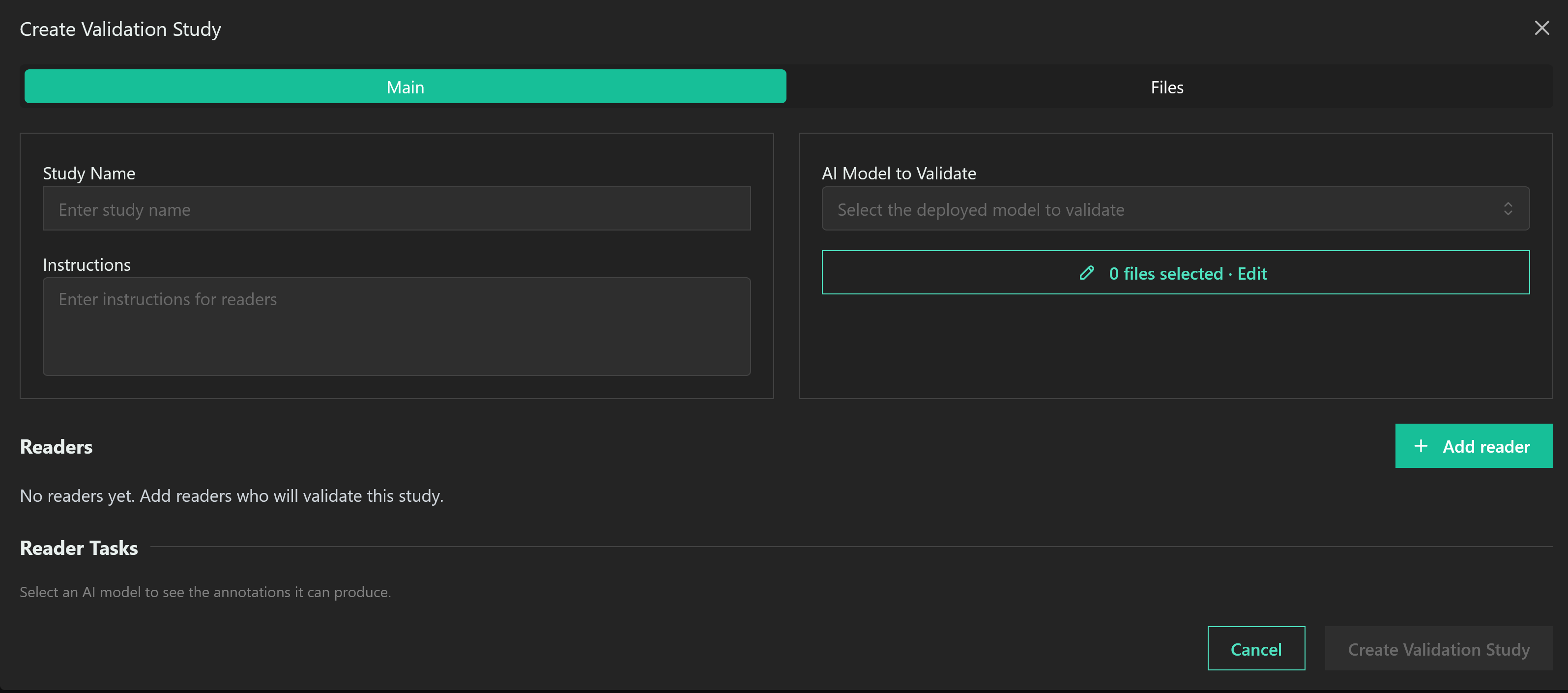
“Readers” are the humans who will be validating the model output. The Instructions box allows you to enter any instructions you need to give them.
To create a validation study, there must be at least one AI model associated with your project. Select the model you wish to validate in the AI Model to Validate box.
The Add Reader button allows you to add readers, in much the same way as you add annotators. Enter the email address of the reader. If they already have a Datamint account, they will be added as a reader; if they do not, they will be sent an invite via email.
Datamint allows you to add existing annotators as readers.
Reader Tasks
Readers can be assigned to evaluate AI output, annotate images, or both. Ticking either box will open a larger menu.
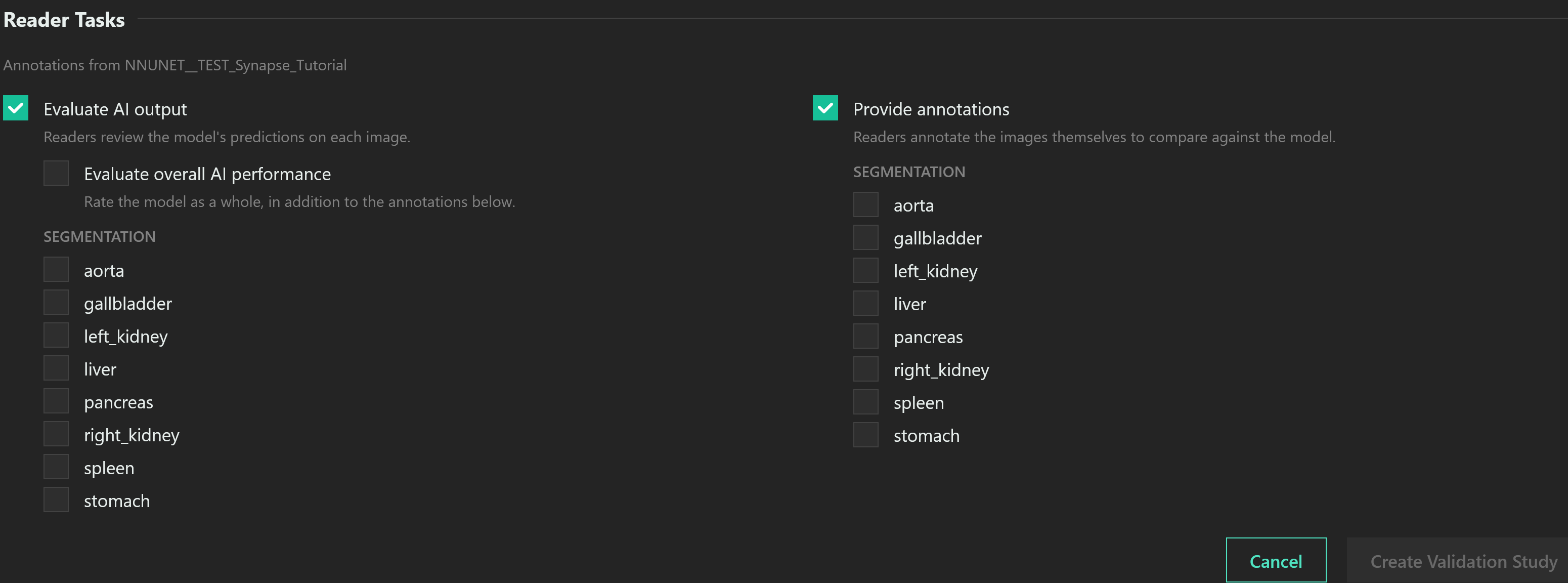
When evaluating AI output, readers will be given the model’s interpretation of an image and asked to rate it. Select specific annotation specifications to have the readers rate individual annotations.
When annotating images, the readers will make their own annotations which can be mathematically compared to the model’s. Select which annotations you want them to make.