The Project Dashboard
When you open a project, you will see a screen like this:
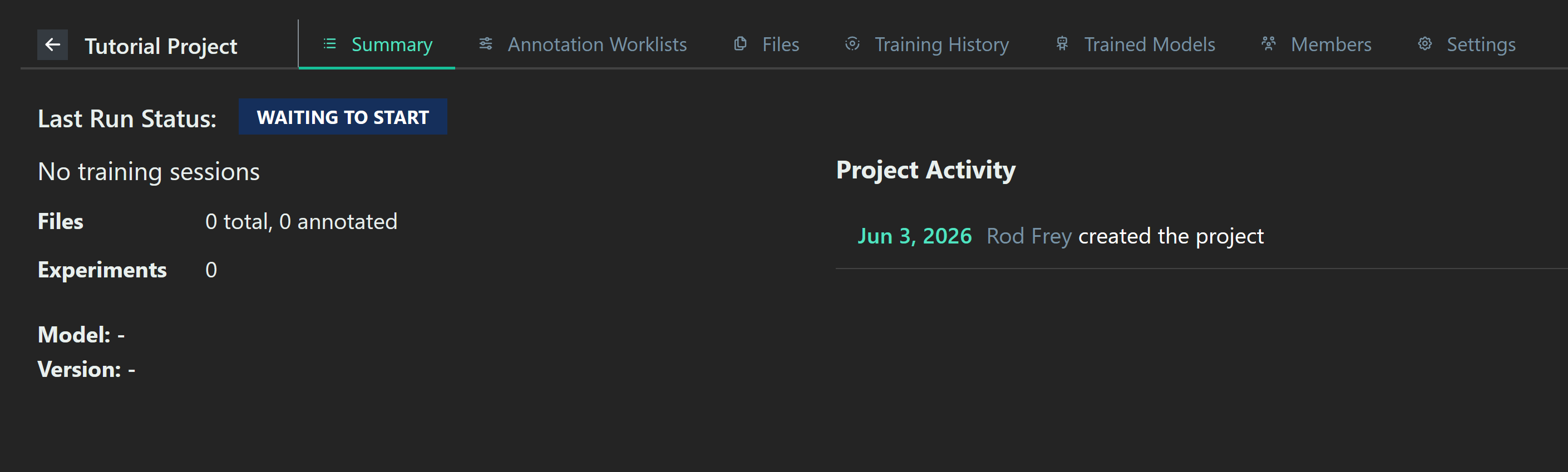
The Summary tab shows information about training runs, and a log of various events in the project. Other tabs deal with specific aspects of the project.
Annotation Worklists
The Annotation Worklist tab allows you to create worklists: sets of images and a system for annotating them. It also allows you to review worklists and send them to collaborators for annotation. For more details, see Annotation Worklists
Files
The Files tab allows you to manage the data in your project. For more details, see Project Files.
Training History
The Training History tab allows you to review how your models were trained. FOr more details, see Training History.
Trained Models
The Trained Models tab allows you to see models which have been finished. For more details, see Validation Studies.
Members
The Members tab allows you to manage other people working on the project. For more details, see Project Members.
Settings
The Settings tab allows you to edit the name and description of your project, or archive it.